Product Waste Management
Home / Documentation /
📦 Product Stock
🛒 Orders
💰 Sales
🛍️ Purchase
📊 RM Stock
📅 Attendance
💸 Expense
📑 Accounting
💳 Supplier Payment
📥 Customer Receive
👔 Payroll
🗑️ RM Waste
🗑️ Product Waste
📜 Quotations
📈 Reports
- Product Price History
- Raw Material Price History
- RM Purchase Report
- RM Item Wise Purchase Report
- RM Stock Report
- Supplier Due Report
- Supplier Balance Report
- Supplier Ledger
- Production Report
- Product Production Report
- Sale Report
- Item Wise Sale Report
- Customer Due Report
- Customer Ledger
- Profit & Loss Report
- Product Profit Report
- Attendance Report
- Expense Report
- Salary Report
- RM Waste Report
- Product Waste Report
- ABC Analysis Report
⚙️ Settings
💳 Credit
In this module you can manage product waste for your business. You can track waste, process waste disposal, and generate waste reports. You can also identify defective or expired products and record their disposal. This helps you control losses, improve efficiency, and ensure compliance with waste management policies.
Product Waste Management
The Product Waste Management feature allows you to effectively manage product waste.
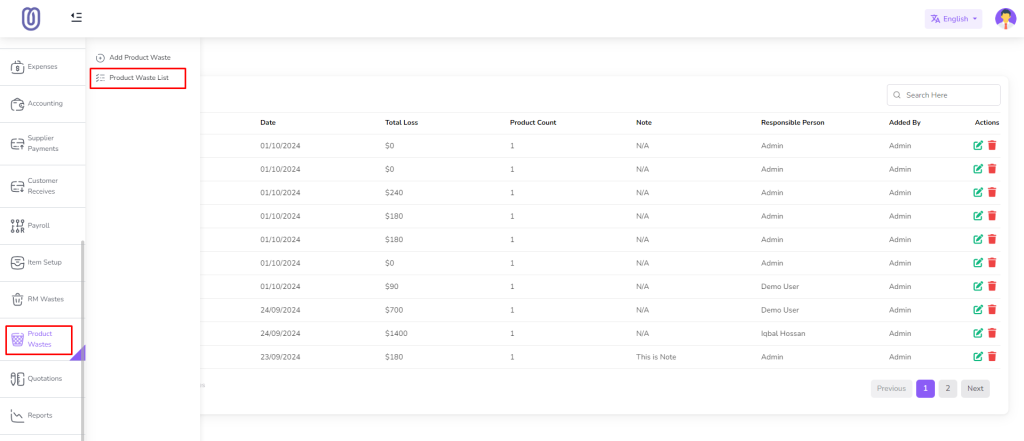
To access Product Waste Management, navigate to the “Product Waste” menu.
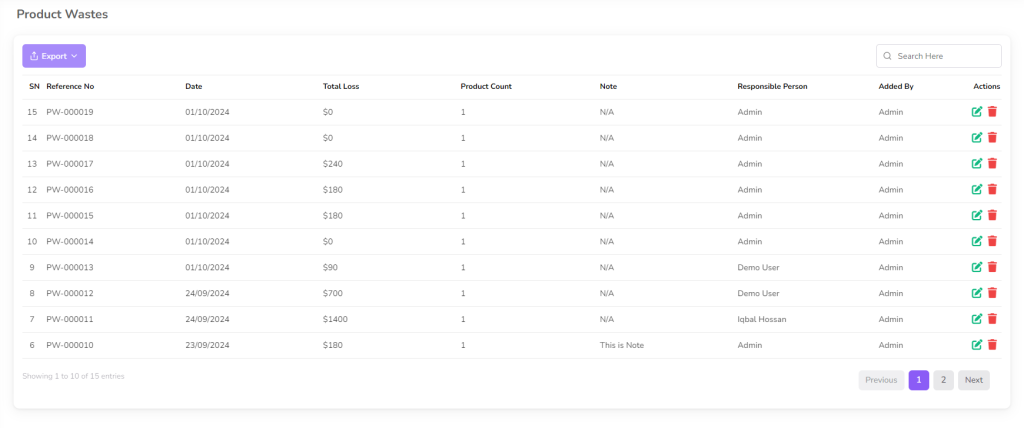
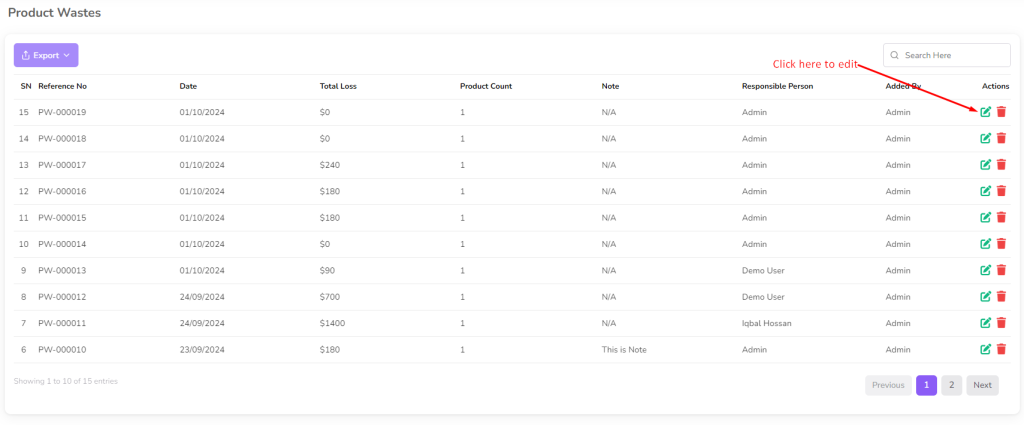
Once you access the Product Waste Management page, you can view waste details, including product name, Total Product Waste, and total loss.
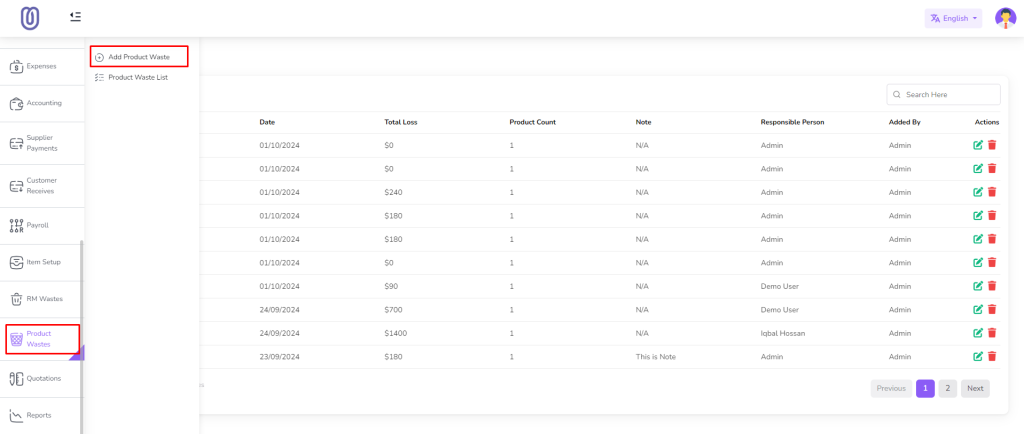
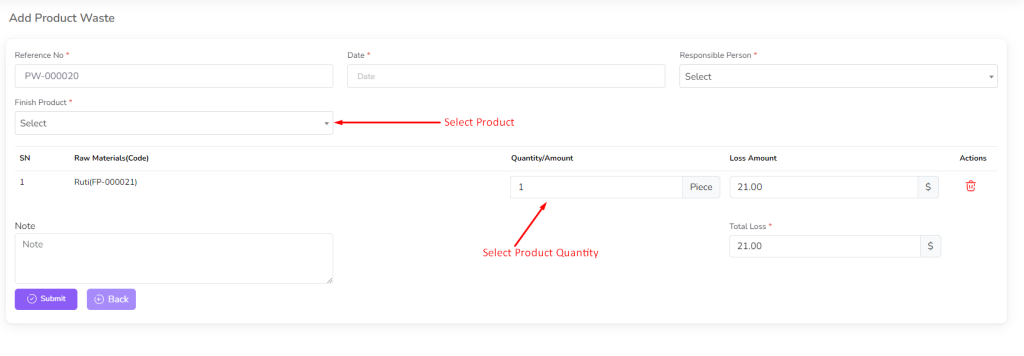
To Add “Add Product Waste” from the left sub menu.
Select the product and enter the quantity and click on the “Submit” button.
Note: Only stock products available in the dropdown.
For edit waste click on the “Edit” Icon.
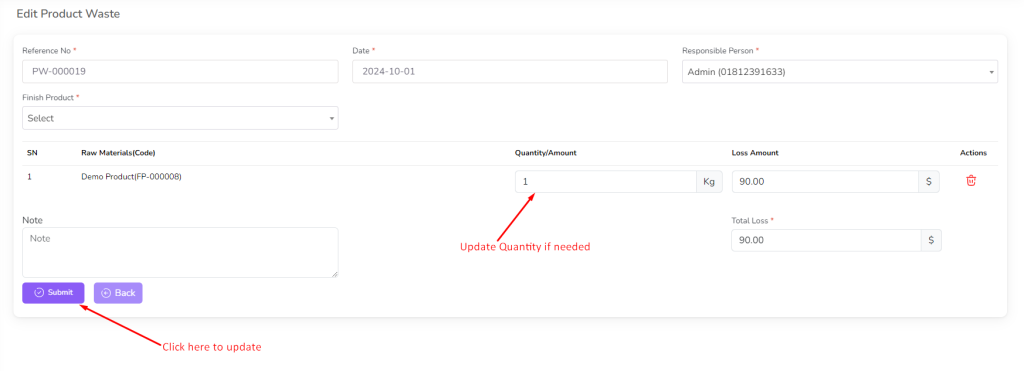
Make the necessary changes and click on the “Submit” button to save the changes.
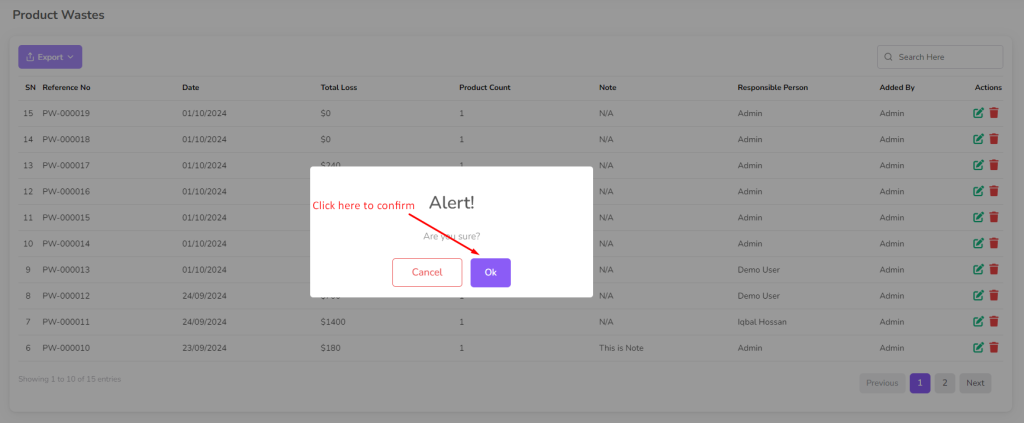
To delete a waste, click on the “Delete” button next to the waste you want to delete. Then a confirmation dialog will be opened.
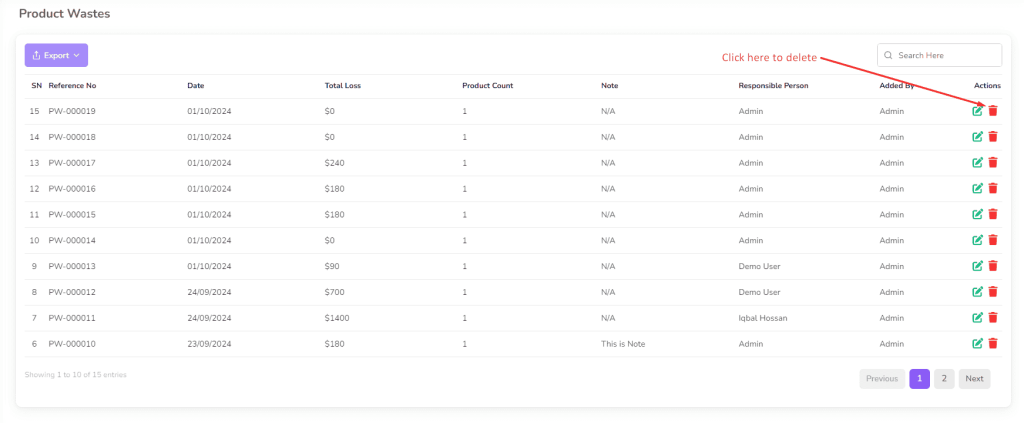
Confirm the deletion and the waste will be removed from the list.