Payroll
Home / Documentation /
📦 Product Stock
🛒 Orders
💰 Sales
🛍️ Purchase
📊 RM Stock
📅 Attendance
💸 Expense
📑 Accounting
💳 Supplier Payment
📥 Customer Receive
👔 Payroll
🗑️ RM Waste
🗑️ Product Waste
📜 Quotations
📈 Reports
- Product Price History
- Raw Material Price History
- RM Purchase Report
- RM Item Wise Purchase Report
- RM Stock Report
- Supplier Due Report
- Supplier Balance Report
- Supplier Ledger
- Production Report
- Product Production Report
- Sale Report
- Item Wise Sale Report
- Customer Due Report
- Customer Ledger
- Profit & Loss Report
- Product Profit Report
- Attendance Report
- Expense Report
- Salary Report
- RM Waste Report
- Product Waste Report
- ABC Analysis Report
⚙️ Settings
💳 Credit
In this module, you can manage payroll for your employees. You can process salaries, bonuses, and deductions. The module also helps you generate payslips, maintain employee salary records, and track payroll expenses for better financial management.
Payroll Management
The Payroll Management feature allows you to effectively manage employee salaries, bonuses, and deductions. You can track payroll history, and generate payroll reports.
To access Payroll Management, navigate to the “Payroll” menu.

Once you access the Payroll Management page, you can view employee name, salary, Account.

To process payroll “Add Payroll” from the left sub menu.
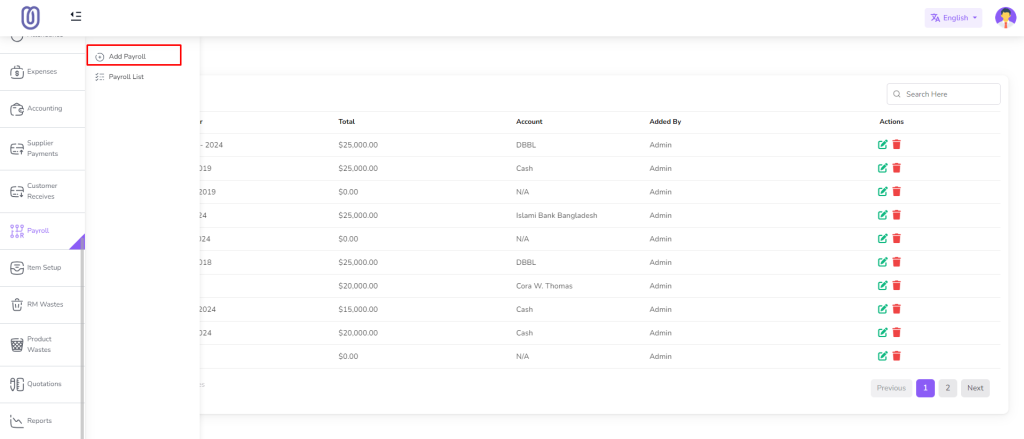
Enter the Month and Year and click on the “Submit” button.

After add payroll you will be redirected to the payroll edit page. Also you can click on the “Edit” Icon to edit the payroll.
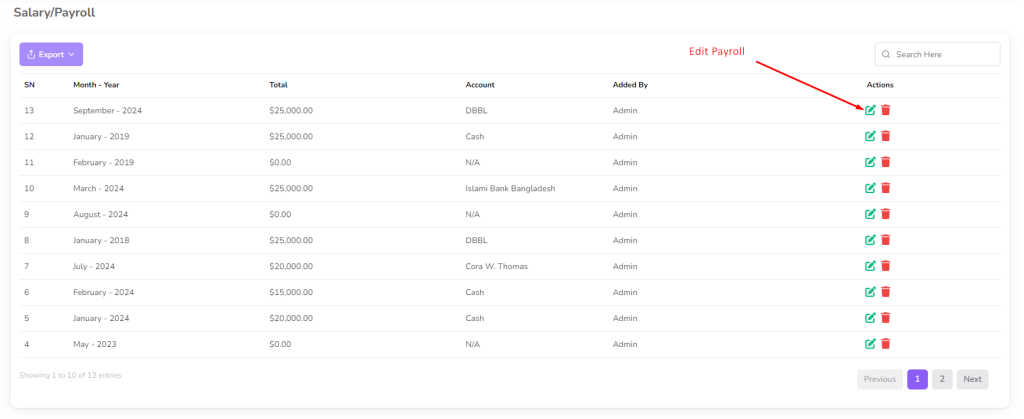
Make the necessary changes and click on the “Submit” button to save the changes.

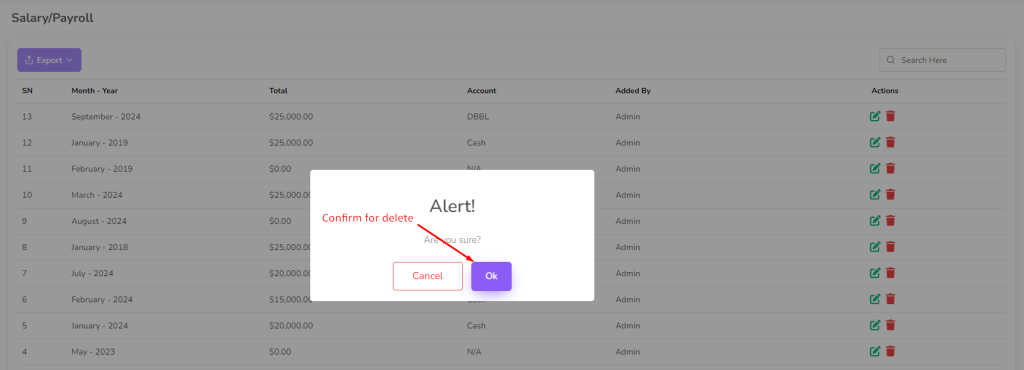
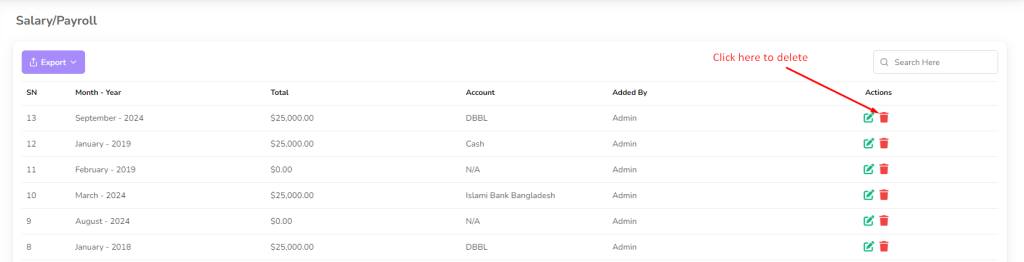
To delete a payroll, click on the “Delete” button next to the payroll you want to delete. Then a confirmation dialog will be opened.
Confirm the deletion and the payroll will be removed from the list.