In this module you can view reports for your business. You can view reports for your customers, products, sales, purchases, and other business activities. You can also generate customized reports based on specific filters and time periods. This helps you analyze business performance, track trends, and make informed decisions.
Product Price History
In this section you can view the price history of a product.
To access the Product Price History page, navigate to the “Reports” section and click on “Product Price History”.
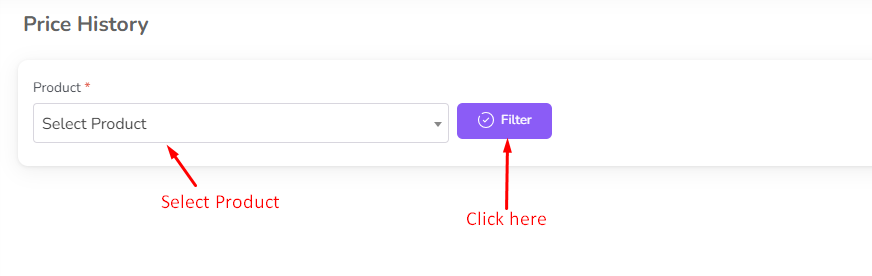
Select the product from the dropdown and click on the “Filter” button.
Then you can view the price history of the product.
Raw Material Price History
In this section you can view the price history of a raw material.
To access the Raw Material Price History page, navigate to the “Reports” section and click on “Raw Material Price History”.
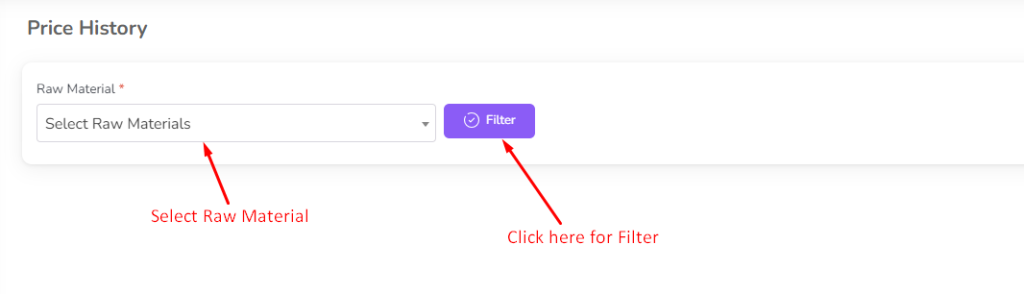
Select the raw material from the dropdown and click on the “Filter” button.
Then you can view the price history of the raw material.
RM Purchase Report
In this section you can view the purchase report of a raw material.
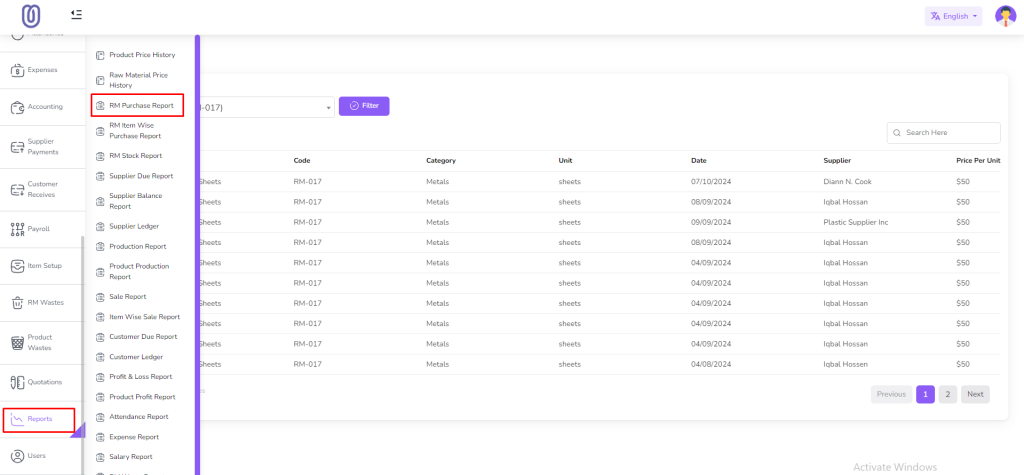
To access the RM Purchase Report page, navigate to the “Reports” section and click on “RM Purchase Report”.
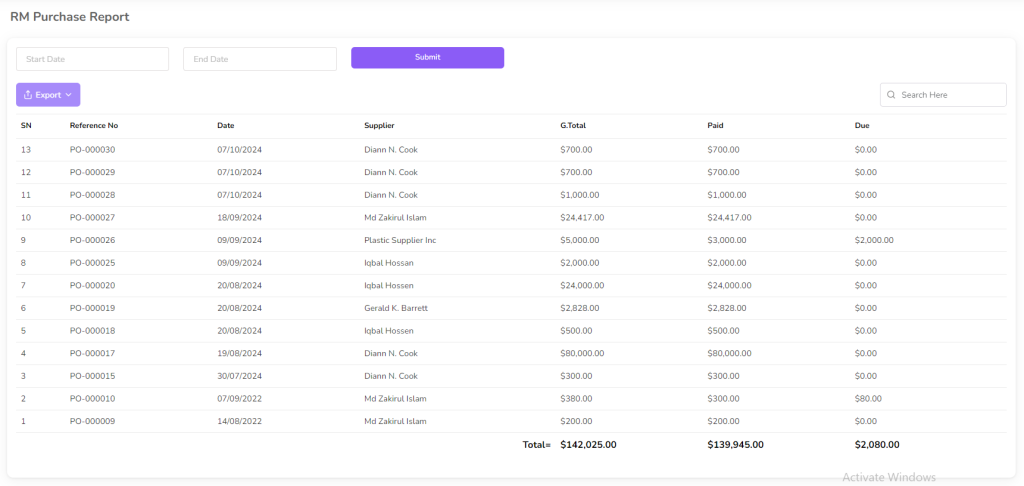
In this page you can view the purchase report of a raw material.
You can filter by date range. First select date and click on the “Submit” button.
RM Item Wise Purchase Report
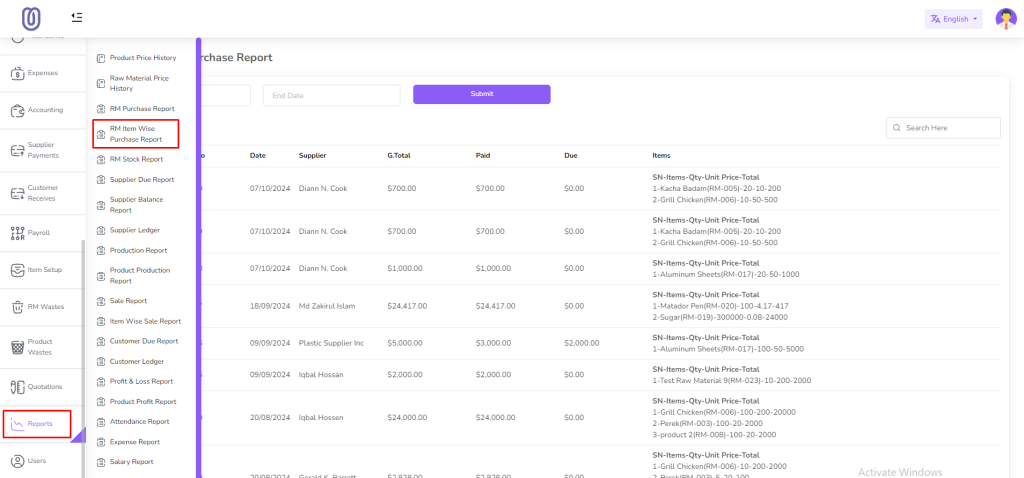
In this section you can view the purchase report of a raw material item wise.
To access the RM Item Wise Purchase Report page, navigate to the “Reports” section and click on “RM Item Wise Purchase Report”.
In this page you can view the purchase report of a raw material item wise.
You can filter by date range. First select date and click on the “Submit” button.
Raw Material Stock Report
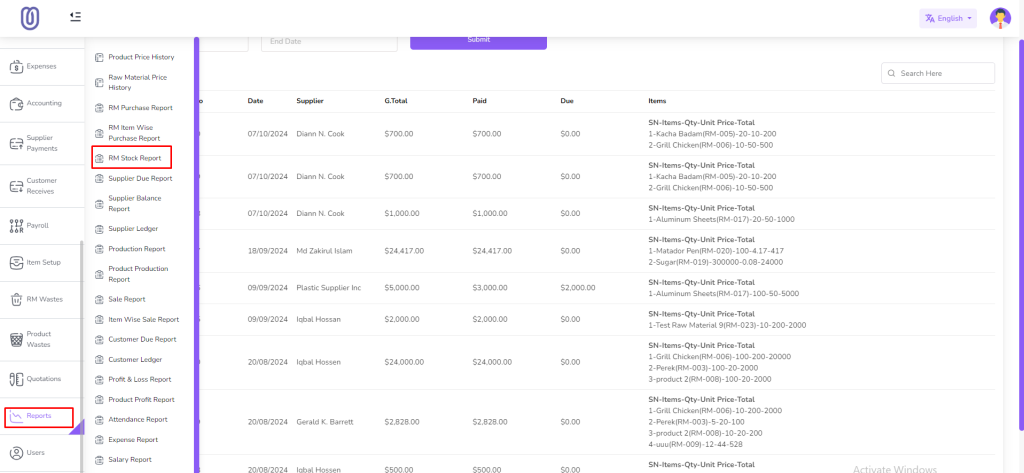
In this section you can view the stock report of a raw material.
To access the Raw Material Stock Report page, navigate to the “Reports” section and click on “RM Stock Report”.
In this page you can view the stock report of a raw material.
You can filter by Raw material and product.
Supplier Due Report
In this section you can view the due report of a supplier.
To access the Supplier Due Report page, navigate to the “Reports” section and click on “Supplier Due Report”.
In this page you can view the due report of a supplier.
You can filter by Supplier.
Supplier Balance Report
In this section you can view the balance report of a supplier.
To access the Supplier Balance Report page, navigate to the “Reports” section and click on “Supplier Balance Report”.
In this page you can view the balance report of a supplier.
You can filter by Supplier.
Supplier Ledger Report
In this section you can view the ledger report of a supplier.
To access the Supplier Ledger Report page, navigate to the “Reports” section and click on “Supplier Ledger”.
In this page you can view the ledger report of a supplier.
You can filter by Supplier, date range and payment type
Production Report
In this section you can view the production report.
To access the Production Report page, navigate to the “Reports” section and click on “Production Report”.
In this page you can view the production report.
Product Production Report
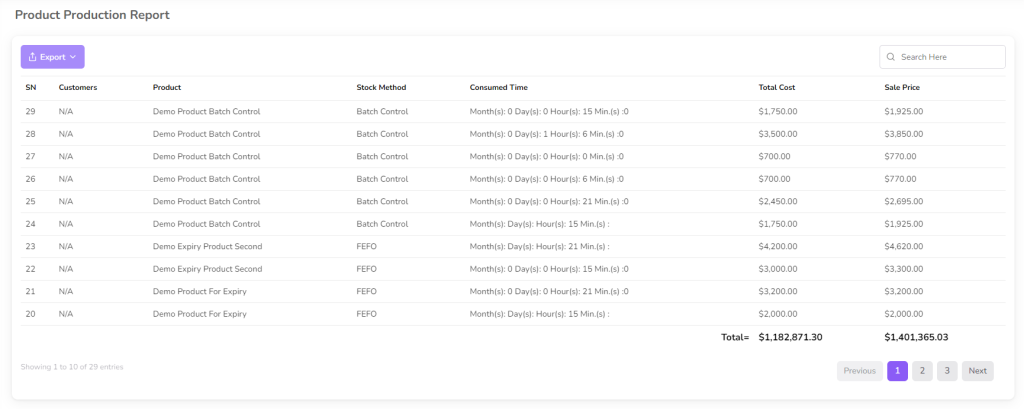
In this section you can view the production report of a product.
To access the Product Production Report page, navigate to the “Reports” section and click on “Product Production Report”.
In this page you can view the production report of a product.
Sale Report
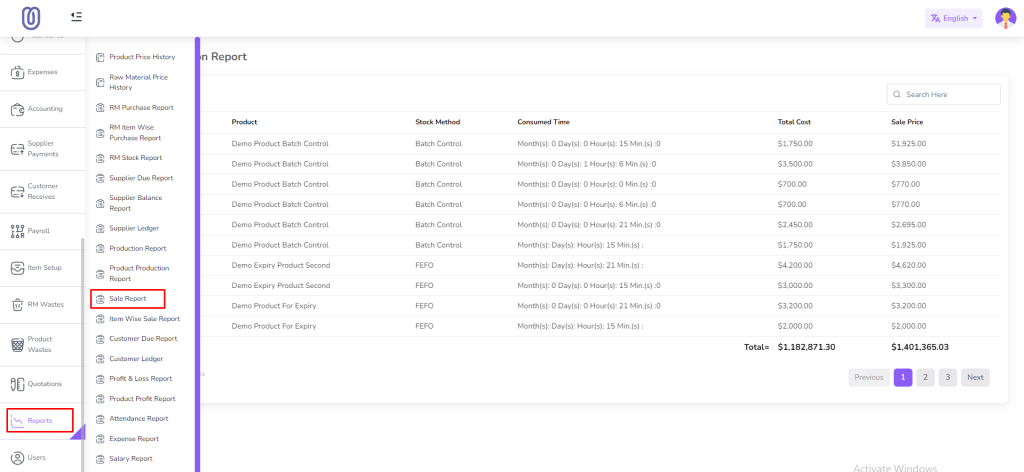
In this section you can view the sale report.
To access the Sale Report page, navigate to the “Reports” section and click on “Sale Report”.
In this page you can view the sale report.
Item Wise Sale Report
In this section you can view the sale report of a product item wise.
To access the Item Wise Sale Report page, navigate to the “Reports” section and click on “Item Wise Sale Report”.
In this page you can view the sale report of a product item wise.
Customer Due Report
In this section you can view the due report of a customer.
To access the Customer Due Report page, navigate to the “Reports” section and click on “Customer Due Report”
In this page you can view the due report of a customer.
Customer Ledger Report
In this section you can view the ledger report of a customer.
To access the Customer Ledger Report page, navigate to the “Reports” section and click on “Customer Ledger”.
In this page you can view the ledger report of a customer.
You can filter by Customer, date range and payment type
Profit & Loss Report
In this section you can view the profit and loss report.
To access the Profit & Loss Report page, navigate to the “Reports” section and click on “Profit & Loss”.
In this page you can view the profit and loss report.
You can filter by date range
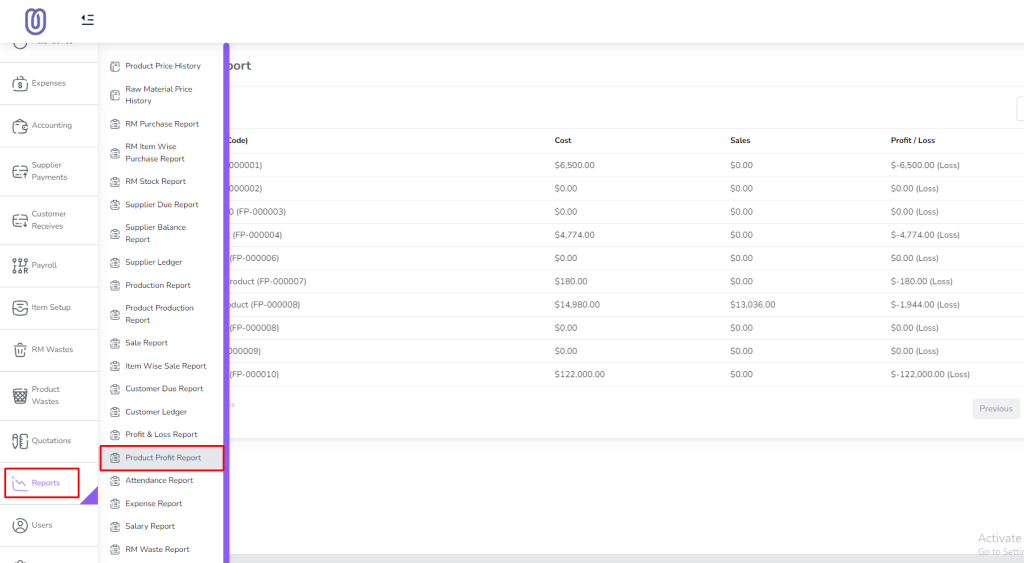
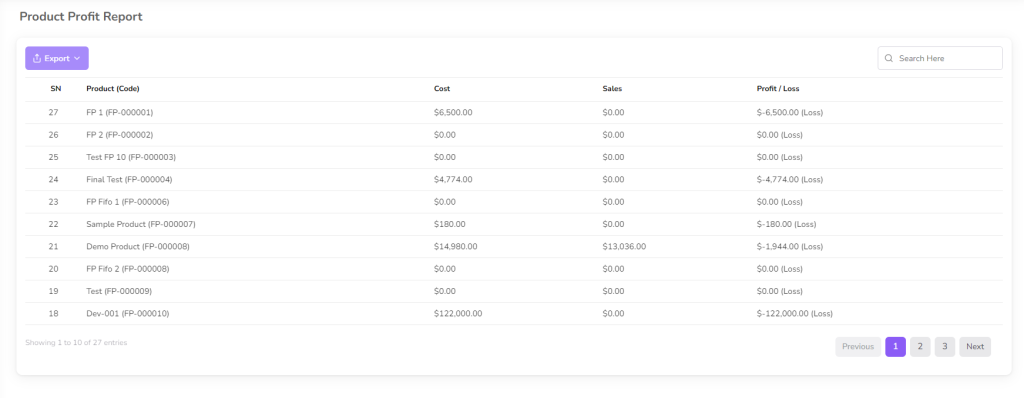
Product Profit Report
In this section you can view the profit report of a product.
To access the Product Profit Report page, navigate to the “Reports” section and click on “Product Profit”.
In this page you can view the profit report of a product.
Attendance Report
In this section you can view the attendance report.
To access the Attendance Report page, navigate to the “Reports” section and click on “Attendance Report”.
In this page you can view the attendance report.
You can filter by date range
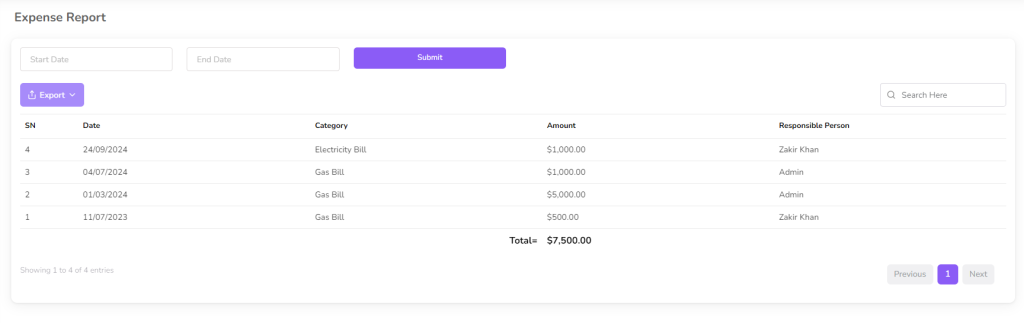
Expense Report
In this section you can view the expense report.
To access the Expense Report page, navigate to the “Reports” section and click on “Expense Report”.
In this page you can view the expense report.
You can filter by date range
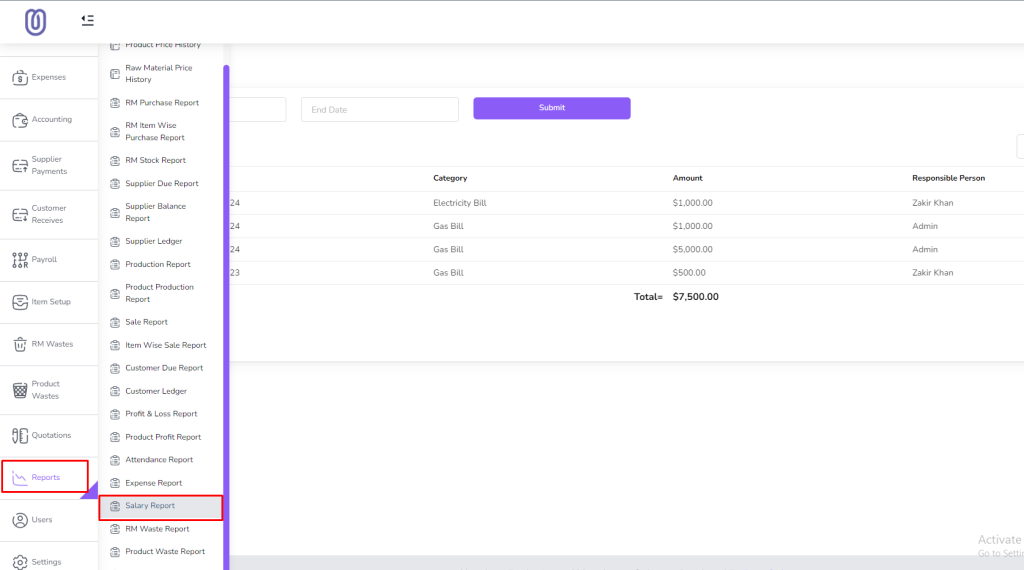
Salary Report
In this section you can view the salary report.
To access the Salary Report page, navigate to the “Reports” section and click on “Salary Report”.
In this page you can view the salary report.
You can filter by date range
RM Waste Report
In this section you can view the RM waste report.
To access the RM Waste Report page, navigate to the “Reports” section and click on “RM Waste Report”.
In this page you can view the RM waste report.
You can filter by date range
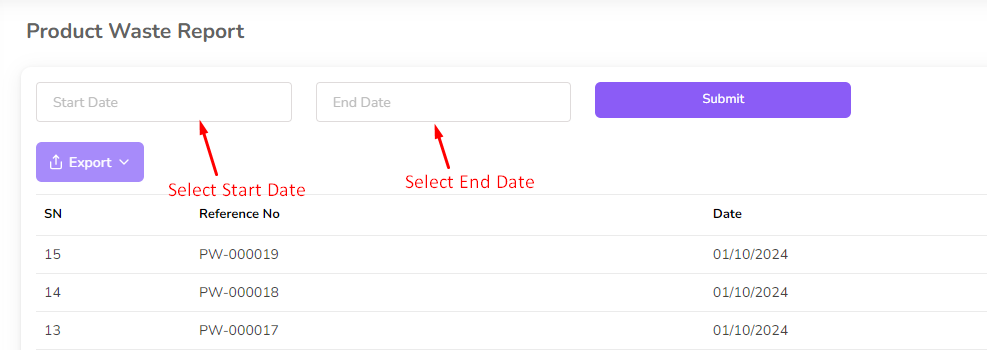
Product Waste Report
In this section you can view the product waste report.
To access the Product Waste Report page, navigate to the “Reports” section and click on “Product Waste Report”.
In this page you can view the product waste report.
You can filter by date range
ABC Analysis Report
In this section you can view the ABC analysis report.
To access the ABC Analysis Report page, navigate to the “Reports” section and click on “ABC Analysis”.
In this page you can view the ABC analysis report.